
Brand HQ: your strategy and formats
Strategy says what you're working toward, who it's for and how often you post. It ranks the formats that fit your brand and shows what's working.
Draft your strategy
- Confirm your Brand DNA and Nebulum drafts your strategy while drafting is free; Draft my strategy makes another. Your strategy draft shows each change beside what you have now.
- With no pillars yet, the draft proposes them, and Use this strategy confirms them too. Click Edit them first to change them. Until a draft proposes some, you can Write them yourself.
- Click Use this strategy, or Not now. Nothing changes until you use it. A first strategy's dates use the brand owner's time zone; change it under Adjust.
Read your strategy
- Phase and objectives: where you are now, such as a release's buildup, and what you're aiming for.
- Who you're talking to: your audiences, by weight.
- Programs and series: recurring shows your audience can follow. A first strategy without series gets them drafted for you: click Add these series. Or click + Add a program, or Draft series for me.
- Pillars, Preferred formats and Moments. Click + Add a release or show for a release, tour, launch or event: batches lean into its phases.
- Under Pillars, click Change the split or angle to set how much of each you post and write your angle.
- Under Adjust, click Show for the dials: content mix, funnel balance, platforms, room for trends, and your capacity in posts, shoot days and hours a week.
What's working
What's working reads how you rated your posts and the concepts you turned down: patterns worth trying, not proof. A card shows once 5 posts share a pattern.
- Under Changes to try, click Approve to apply one, such as posting a program more often.
- Or click Not now: it isn't asked again for 8 weeks.
Tip: Rate a post with How did it do? on its concept once it's out. The more you rate, the sooner patterns show.
Relevant now
Relevant now lists trends from weekly research that fit your brand, each with the week it was observed and why it fits.
- Click a trend to see what it is, how to do it, its sound and why it fits you.
- Click Adapt to rework the upcoming concept it fits best, or open a concept and click Adapt to a trend.
Tip: Trends come with paid plans and reach brands gradually. If you don't see Relevant now, your brand's plan doesn't include it or it hasn't reached your brand yet.
Browse formats
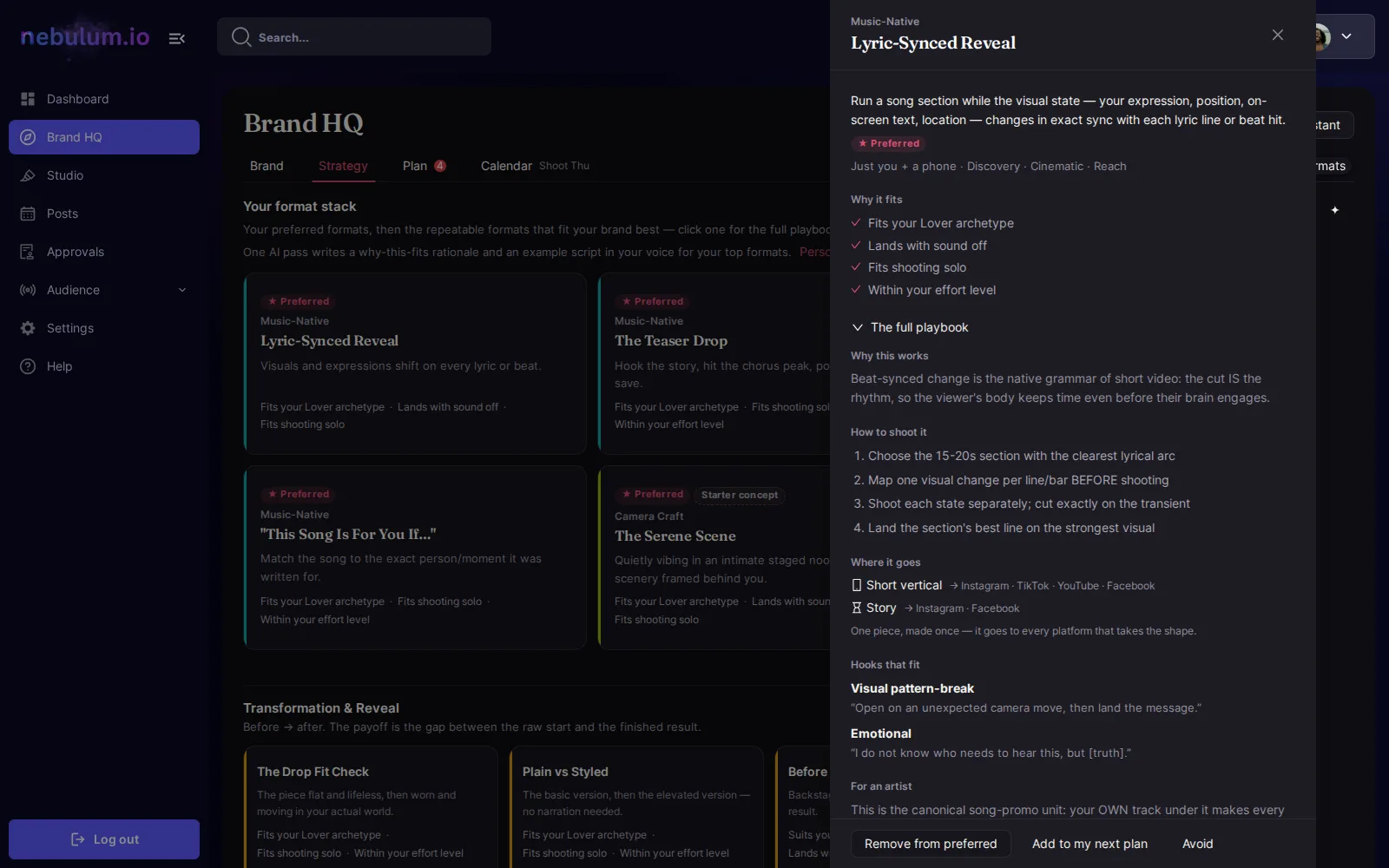
- Open Strategy › Formats. Your format stack ranks the repeatable formats that fit your brand best, each with its reasons, like "Lands with sound off".
- Click Filter to narrow it by goal or family. Each family shows its first few formats: click Show all for the rest.
- Click Personalize, under Your format stack, for a why-this-fits and an example script in your voice for your top formats. It uses credits.
Tip: Until your Brand DNA has an archetype or tone, the order reflects only the formats themselves.
A format's playbook
- Click a format to open it: why it fits comes first. Click The full playbook for how to shoot it, where it goes and hooks that fit.
- Click Prefer to plan more of it (it shows as ★ Preferred), or Avoid to keep it out of your plans.
- Click Add to my next plan to add it to the mix of your next batch.
- Your concepts in this format lists what you've made in it.
Tip: Formats come with planning. If your brand's plan doesn't include it, the tab says so, and whom to ask.
Related guides
- Brand HQ: plan in batchesSay how many concepts and where you shoot. Nebulum writes them in one go, each with its brief, grouped by shoot; you approve them, then date them in the Calendar.
- Brand HQ: your brand bookBrand HQ takes your brand from who you are to what you post, in four tabs. It starts on Brand, where Nebulum writes your brand book with you and keeps it current.
- Credits explainedWhat credits are, where to see what each action costs, where to check your balance and spending history, and what to do when you run out.
Signed in? Open this guide in Nebulum. New here? Start free.