
Reusable hashtag sets
Save your go-to hashtags as named sets and drop them into any caption with one click.
Where your sets live
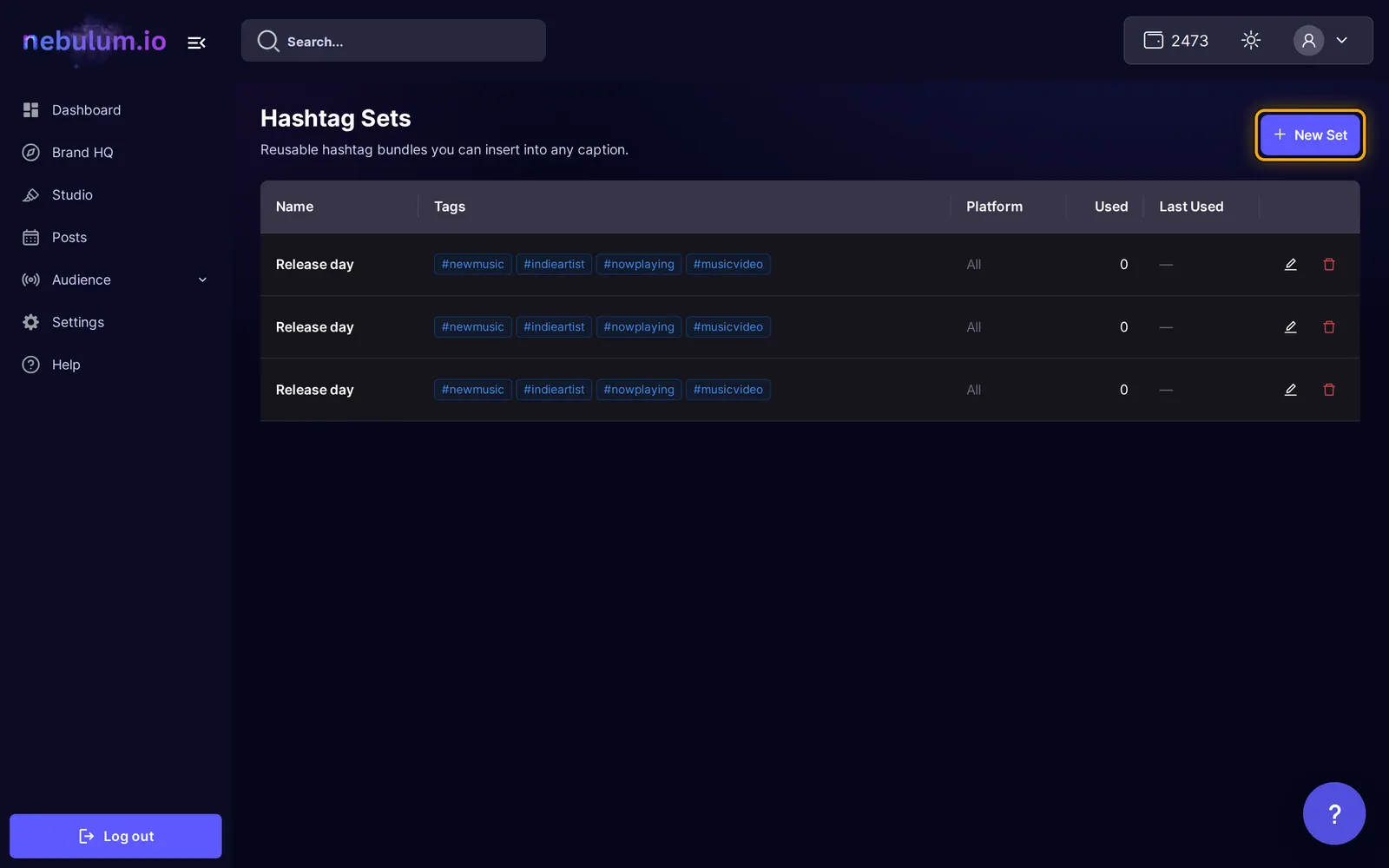
A hashtag set is a named bundle of hashtags — perfect for the tags you use on every release. They all live on the Hashtag Sets page.
- While editing any caption in the post composer, open the Insert set menu and click Manage sets….
- Browse the list — the Used and Last used columns make your favorite sets easy to spot.
Create a set
- On the Hashtag Sets page, click New Set.
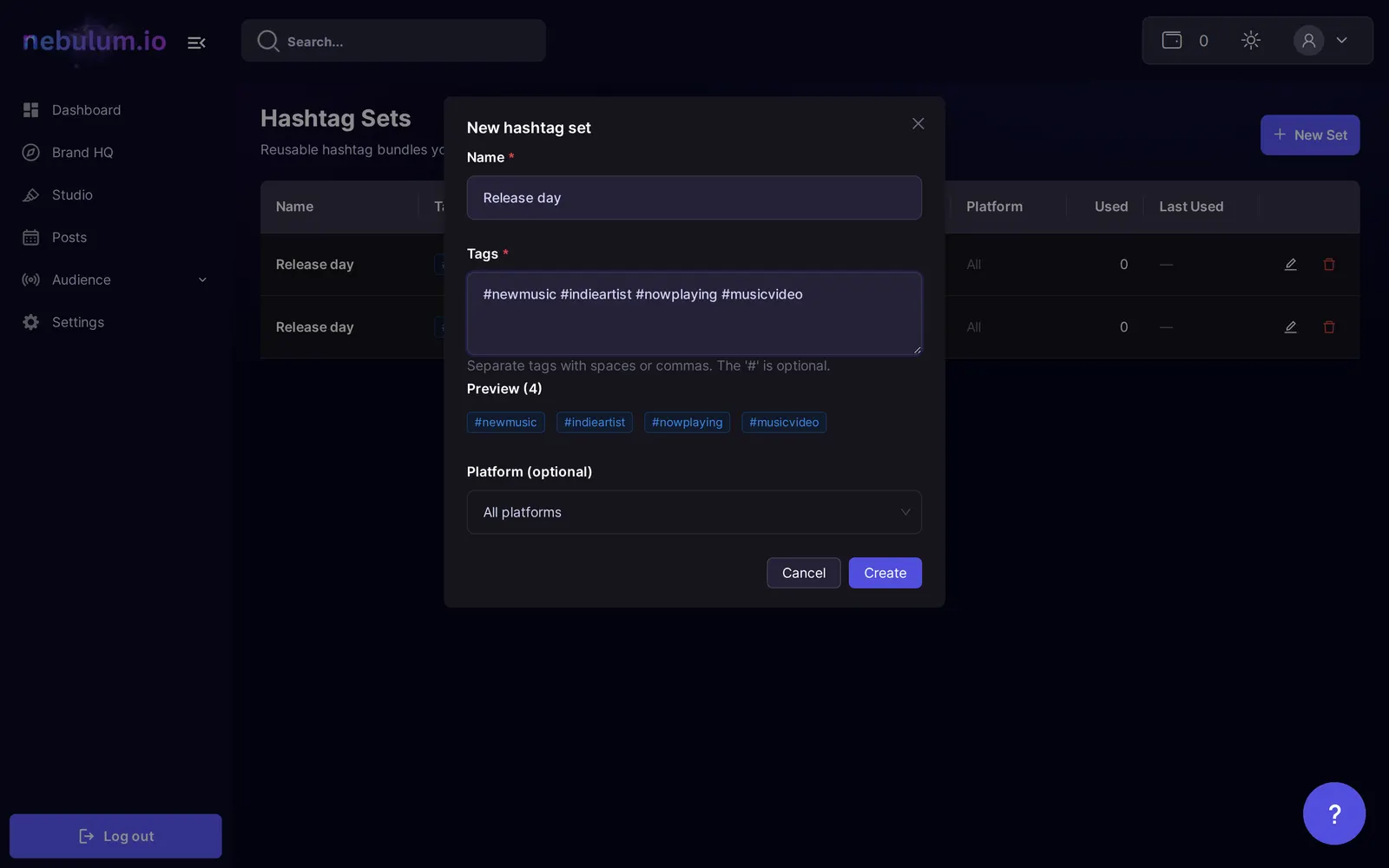
- In the New hashtag set modal, enter a Name for the set.
- Type your Tags — separate them with spaces or commas; the
#is optional, and a Preview shows the parsed tags. - Optionally pick a Platform (optional) to note which network the set is for.
- Click Create.
Tip: Already typed your hashtags in a caption? Open Insert set there and click Save current as set — name it in the Save hashtags as a set modal and click Save, no retyping needed.
Insert a set while composing
- In the composer, click into the caption where you want the hashtags to go.
- Click Insert set and pick a set — its tags drop in at your cursor.
- Watch the hashtag counter under the box — every platform has its own limit, and the counter warns you when you go over.
Tip: The picker orders sets by recency, so the ones you reach for most are always on top.
Edit or delete a set
- On the Hashtag Sets page, click a set's pencil icon — the Edit hashtag set modal opens.
- Change the name, tags, or platform, then click Save.
- To remove a set, click its trash icon and confirm Delete this set?
Note: Deleting a set is permanent — as the confirmation says, This can't be undone.
Related guides
- Post to your socialsTurn any library item into a social post — pick your accounts, write one caption for every platform, add hashtags, and post now or schedule it.
- Schedule & manage postsEverything you've queued lives on the My Posts page — switch between List and Calendar views, filter, edit or cancel posts, and rescue failed ones.
Signed in? Open this guide in Nebulum. New here? Start free.