NebLink & your fans
Build your link-in-bio page with a QR code, switch on email capture, and grow a fan list you own — searchable, importable, and exportable anytime.
Create your NebLink page
NebLink is your link-in-bio page — one short link with all your socials, streaming profiles, and custom links in one place.
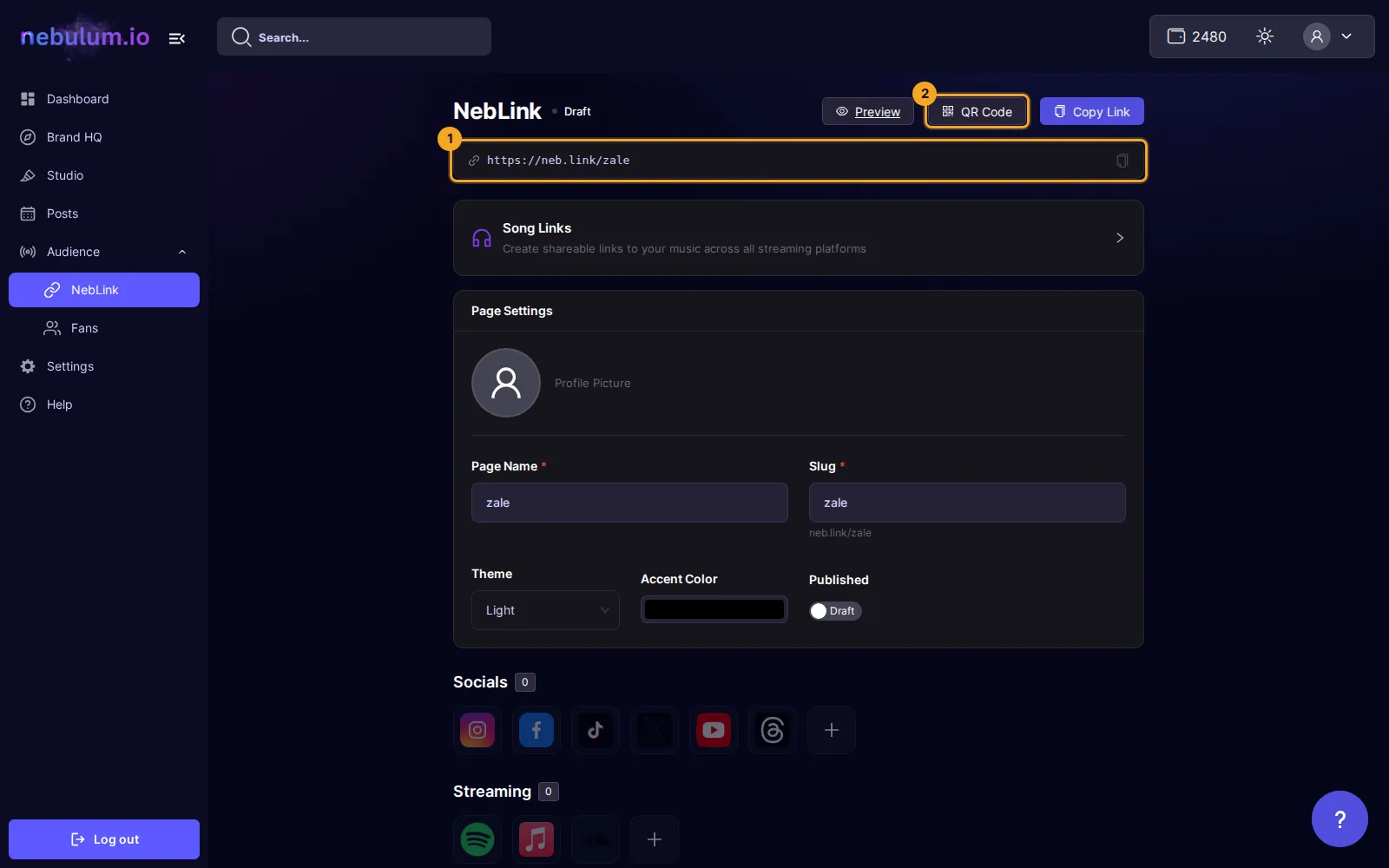
- In the sidebar, open the Audience group and click NebLink.
- Under Page Settings, click the avatar circle to upload a profile picture, then fill in Page Name and Slug — a green check means the slug is free, and a preview like
neb.link/zaleappears. - Pick a Theme and an Accent Color, and set the Published switch to Live when you're ready for the page to be public.
- Click Create NebLink Page to save it for the first time — on later edits the button reads Save Changes.
Add your links
- In Socials or Streaming, click a platform tile, pick a connected account or choose Enter URL manually, then click Confirm.
- In Links, click Add Link to add a name and URL, Add Heading to group links into sections, or Import Social to pull in your connected accounts.
- Drag the handle on each row to reorder your links.
Tip: Your edits autosave locally — an Unsaved changes tag appears, and if you navigate away and come back you'll see Restored your unsaved changes. with a Discard button.
Share it — and print the QR code
- After saving, use the header buttons next to your public URL: Preview, Copy Link, and QR Code.
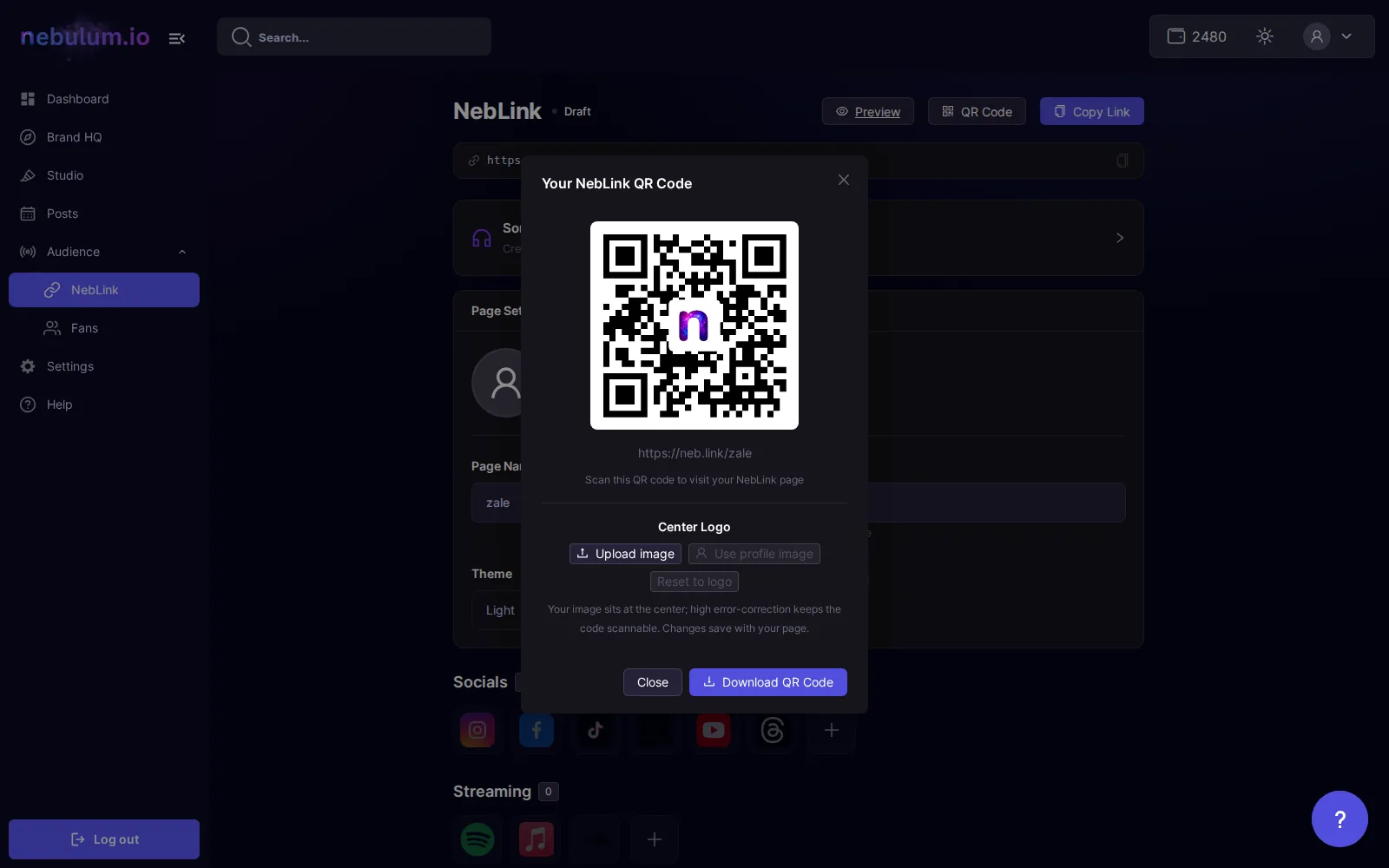
- In the Your NebLink QR Code modal, click Download QR Code — a PNG downloads, ready to print for merch tables and shows.
- Optionally swap the code's center image under Center Logo with Upload image or Use profile image.
Note: Saving is not the same as publishing — the Published switch must be set to Live, or the public URL won't serve your page. The header buttons stay disabled until the page has been saved once.
Related guides
Signed in? Open this guide in Nebulum. New here? Start free.